Shift4 Dine (formerly Skytab) — built for the way restaurants run
Countertop POS, handhelds, kitchen display, online ordering, multi-location reporting, and labor scheduling on one platform. Tabletop sells, installs, trains, and supports it — you don't manage five vendors.
Statement review, savings projection, and full tech stack recommendations.
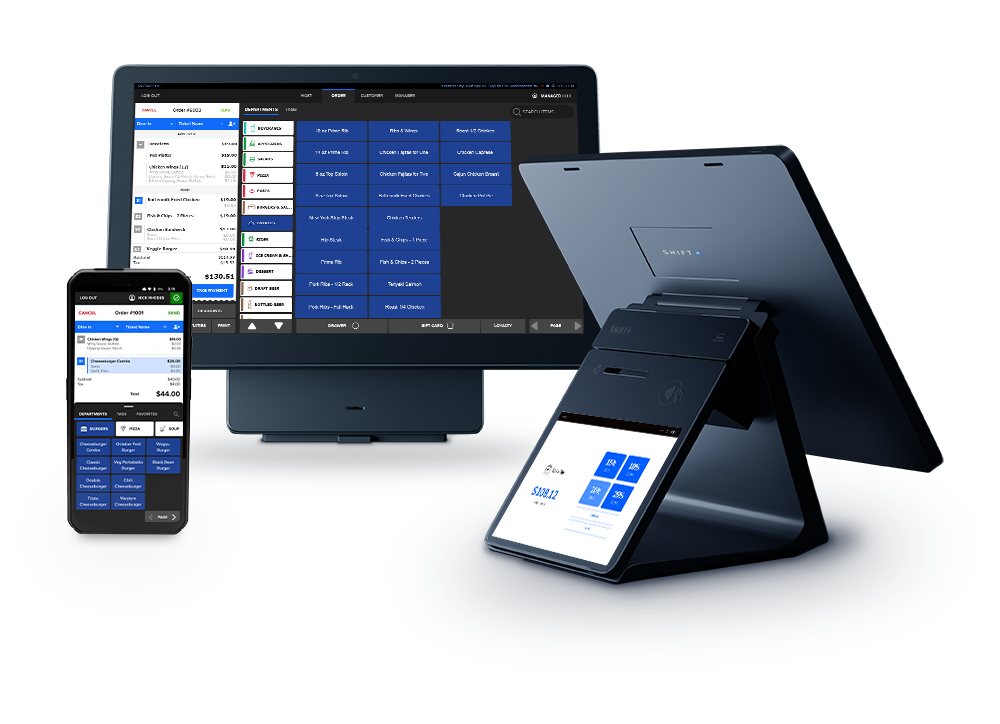
The platform that doesn't make you choose between front-of-house, back-of-house, or the people running both.
Restaurants don't fail because the POS terminal froze once during a busy Saturday. They fail because labor cost, food cost, and table turn time are running off in three different systems and nobody can see them in one place. Shift4 Dine puts them in one place. The countertop POS, the handhelds your servers carry, the screens in the kitchen, the online ordering channel, the reporting dashboard, and the labor schedule are all the same product — not five integrations bolted together.
Tabletop is a Shift4 Dine reseller. We don't just sell you a license — we run the cost analysis on your current processor, write the menu and floor plan, install the hardware, train your team, and stay on as your day-zero support contact. When something needs fixing on a Friday at 8 PM, you call us, not a call center.
Six modules, one platform, one vendor relationship.
Each piece is built into Shift4 Dine — not bolted on. They share the same menu, same customer data, same reporting, same updates.
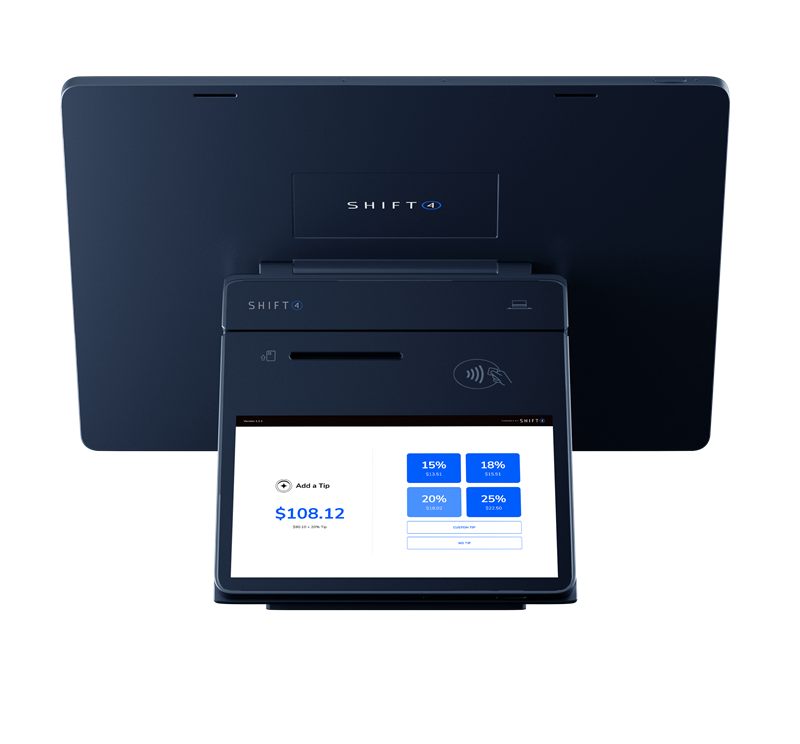
Countertop POS
The command center. Built for the rush, designed for clean operator workflows. Handles dine-in, takeout, and counter service on the same terminal with role-based menus and split-tender support.
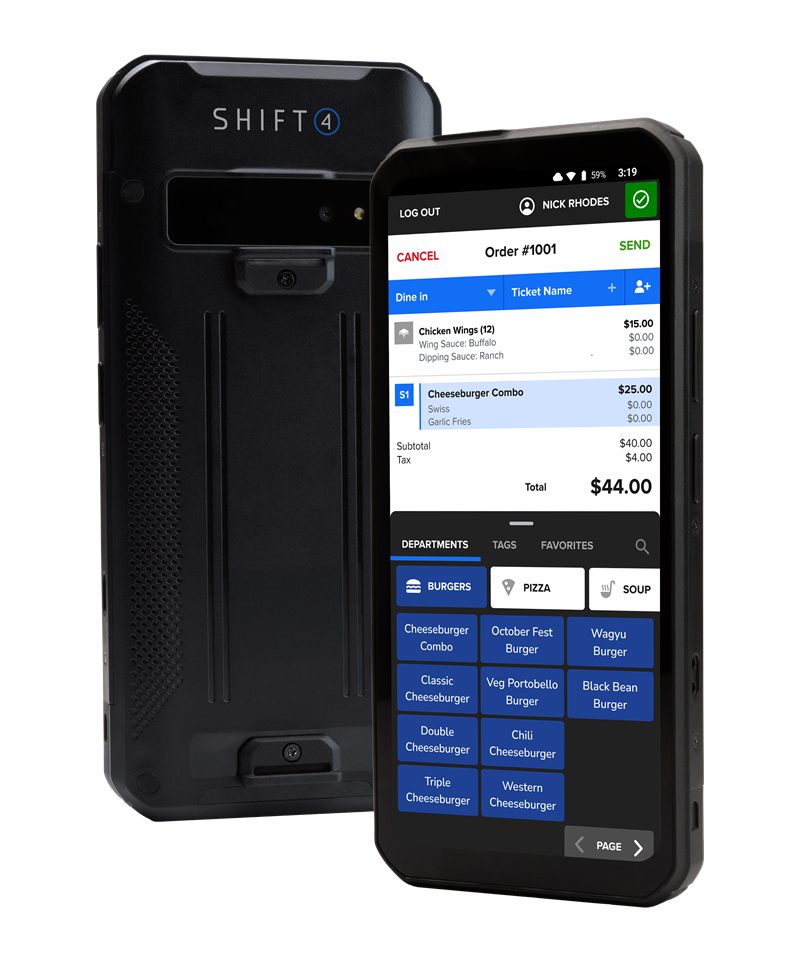
Handhelds & tablets (Air & Glass)
Take orders and accept payment tableside, curbside, on a food truck, at a poolside bar. Shift4 Air is the rugged 6.5″ handheld a server carries on the floor — built-in 4G keeps it working when WiFi flakes. Shift4 Glass is the 8″ tablet for hosts, bar stations, or anywhere you want the full POS experience in a smaller footprint. Both run the same software as the countertop.
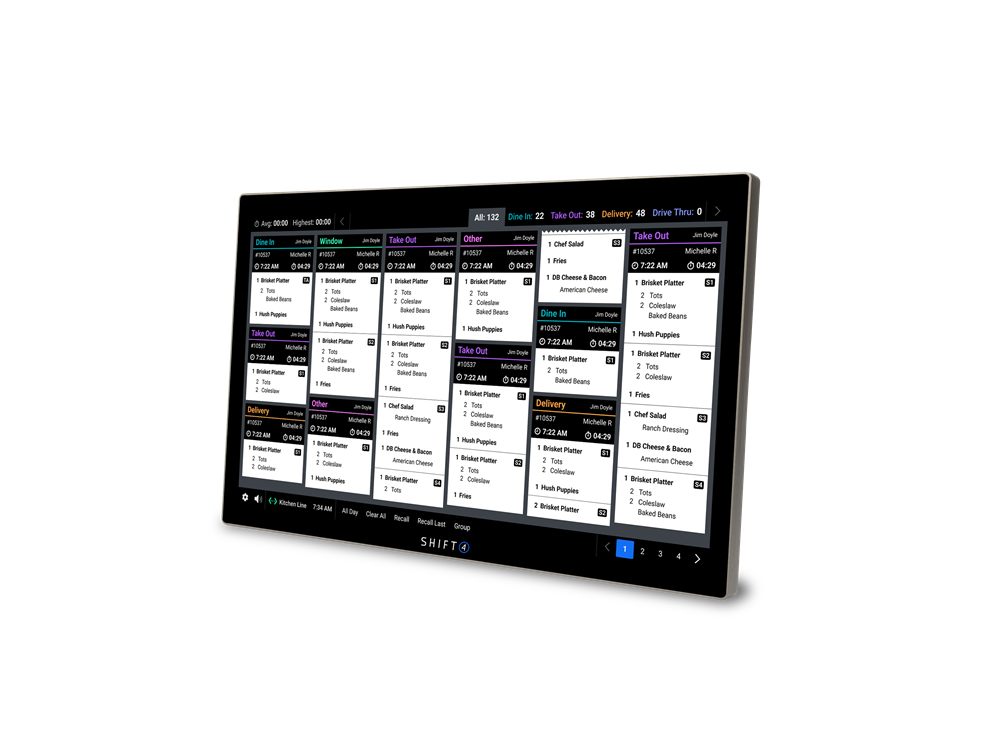
Kitchen Display
Replace paper tickets with a screen the line can actually read. Routes orders to multiple prep stations, tracks status across stations, and pulls third-party delivery tickets onto the same board as in-house orders.
Online Ordering
Free to use. No setup fee, no monthly fee, no per-order fee. Pulls from the same menu as the in-store POS, supports Apple Pay and Google Pay. DoorDash, Uber Eats, and Grubhub orders fire to the same kitchen display as in-house tickets — no second tablet, no second printer.
Reporting & BI
Custom dashboards or ready-built ones. Drill into a daypart, an item, a server, a single location, or roll the whole enterprise up. Compare locations side-by-side. Real-time enough that you can act tonight, not next quarter.
Workforce / Labor
Build a weekly schedule in minutes, push it to your team, and let employees confirm or swap shifts from a mobile app. Time card data feeds straight into payroll export. Labor-variance alerts fire mid-week — not Monday after the books closed — so you can pull a shift Tuesday afternoon instead of explaining the overage Friday morning.
The hardware survives the rush. The software was designed for it.
Shift4 Dine hardware comes with a lifetime warranty — if it breaks, the vendor replaces it. The software is built around the workflows that actually happen on a busy Saturday: the line going down, the third-party order coming in, the table that's been sitting on a check for 20 minutes, the new server who needs to find the gluten-free items mid-shift. The hybrid-cloud architecture keeps the POS and payment processing running even if the internet drops — transactions queue locally and sync when connectivity returns.
Run four locations like one team. Or treat each one like its own thing.
Standardize the menu, pricing, and tax setup across stores when consistency matters. Diverge them where the local market needs it. Compare locations side-by-side in real time. Roll the whole enterprise into one dashboard or drill into a single store's labor variance for last Tuesday's dinner shift.
Shift4 Dine plus the systems you already run.
The POS isn't the whole stack. Shift4 Dine integrates with third-party delivery (DoorDash, Uber Eats, Grubhub) so those orders fire to the same kitchen display as in-house tickets. Accounting connects to QuickBooks, NetSuite, Xero, and Sage so the daily close runs without re-keying. For restaurants and bars inside hotels, resorts, or country clubs, Shift4 Dine connects to property management systems (Oracle OPERA, Innquest, Ezee) so room charges and member billing flow without a paper trail.
For payments, Tabletop matches Shift4 Dine to whichever processing program makes sense for your menu mix and ticket size — traditional flat-rate, credit surcharge, cash discount, or dual pricing. The processing program is a separate decision from the POS choice; we walk you through both on the cost analysis call.
Where Shift4 Dine earns its keep.
Some restaurants want a POS that does payments and stays out of the way. Shift4 Dine is for the ones that want the front-of-house, back-of-house, and reporting all on one platform — especially full-service, multi-location, and high-volume operations.
Full-service restaurants
Tableside ordering, course management, split checks, server-side prompts — the workflow Shift4 Dine was built around first.
Quick-service & counter
Counter-service mode plus optional kiosk and online ordering. Fast at the front, fast in the back.
Food trucks & mobile
Handheld-only operations with offline-capable order taking and the same cloud reporting brick-and-mortar gets.
Country clubs & resorts
Multiple food & beverage outlets, member billing, poolside service — one platform across all of it.
Bars & BYOB
Bar tabs, pre-auth, fast bartender workflows, separate beer/wine/cocktail menus, late-night close-out reports.
Ethnic restaurants
Multi-language menus, family-style course timing, dual pricing where the program fits the local market.
No public rate card. Here's why — and what to do instead.
Shift4 Dine pricing depends on hardware footprint (how many countertops, handhelds, KDS screens, kiosks), monthly card volume, processing program (traditional, surcharge, cash discount, dual pricing), and which platform add-ons (online ordering, reservations, BI) you'll actually use. A public rate card would either be a lowest-case-only marketing number or so qualified it stops being useful.
What we do instead: a 5-minute statement review. Send us your most recent processor statement. We read it, compute your effective rate, sketch out what Shift4 Dine plus a Tabletop processing program would actually look like, and tell you honestly whether switching is worth it. If your existing setup is already competitive, we tell you that. The cost analysis call is where the numbers live.
Shift4 Dine questions, answered.
Is Shift4 Dine actually new, or is it the same Skytab I’ve heard of?
Same product, new name. Shift4 rebranded Skytab POS as Shift4 Dine in May 2026 to unify everything under one brand. Same hardware, same software, same support. Demos and reviews under the Skytab name still apply. The older Skytab Mobile handheld is being replaced by Shift4 Air — faster, lighter, built-in 4G.
What does Shift4 Dine cover?
Shift4 Dine is an end-to-end restaurant platform: countertop POS, handheld order/pay devices, kitchen display, online ordering, reservations and waitlist, multi-location reporting, and integrated labor scheduling. One platform instead of stitching five different vendors together.
Is Shift4 Dine a good fit for a single-location restaurant?
Yes. The platform scales down to single-location operations with the same feature set as multi-unit chains. The reporting tools that matter at one location — labor cost, item velocity, daypart sales — are the same ones that matter at twenty.
Can Shift4 Dine handle quick-service and food trucks, or is it just full-service?
Both. Counter-service mode runs on the countertop POS or kiosk; handhelds work for line-busting at a QSR or for tableside service at a full-service restaurant. Food trucks typically run handheld-only with offline-capable order-taking and the cloud reporting that comes with it.
Does Shift4 Dine work with online ordering and third-party delivery?
Shift4 Dine Online is built into the platform and free to use — no setup fee, no monthly fee, no per-order fee. It pulls directly from the same menu as the in-store POS, so menu and pricing changes propagate everywhere automatically. Third-party delivery integrations route to the kitchen the same way an in-house ticket does.
What about kitchen display and labor scheduling?
Both are integrated, not bolt-ons. Kitchen display routes orders to multiple prep stations and tracks fulfillment. Workforce handles weekly schedules, time cards, overtime control, payroll export, and shift swaps via mobile push notifications.
How does Shift4 Dine handle multi-location operators?
Business Intelligence reporting compares locations side-by-side in real time. You can drill into a single store or roll the whole enterprise up into one view. Menu, pricing, and tax setup can be standardized across locations or differ where the local market requires it.
What does Shift4 Dine cost?
Pricing depends on hardware footprint, monthly volume, processing program, and which add-ons (reservations, online ordering, KDS, handhelds) you actually use. We don't post a rate card because real numbers depend on your statement. Send us yours and we'll come back with a real comparison — that's the cost analysis call.
Get a real Shift4 Dine cost picture.
Send your most recent processor statement. We'll run the numbers, walk you through what Shift4 Dine would actually look like in your restaurant, and tell you honestly whether switching is worth it.
Complimentary Cost AnalysisStatement review, savings projection, and full tech stack recommendations.